Monely is a personal finance app for Android, iPhone, and the web. Day to day you record spending on the entry screen; when your hands are full, WhatsApp or a receipt photo does the same. Those entries feed the charts, the goals, and the group split.
The part you do every day. If it is slow, it does not get done.
The entry screen
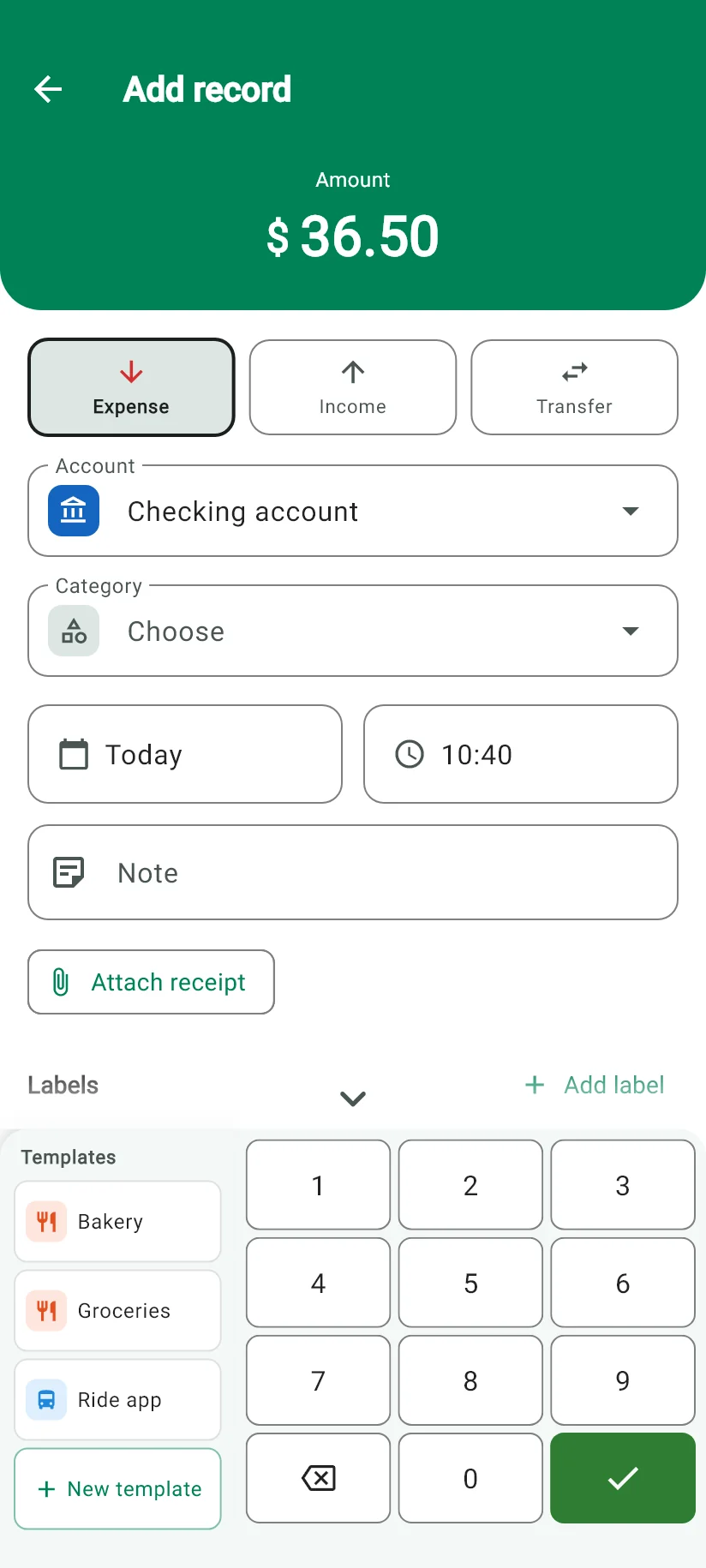
One tap sets the type: expense, income, or transfer. You type the amount on the app's own keypad, and the key that saves sits right there among the numbers, so you finish without moving your hand. Account, category, date, and note stay on the same screen.
WhatsApp assistant
Write “spent 45 at the market” to Monely on WhatsApp and the entry is made. It also takes voice notes and photos of receipts, and it answers in the eight languages of the app. Google Gemini reads what you sent; the entry lands in the right account and category.
Receipt scanning
Photograph the receipt and Monely reads the amount, the date, the description and the category. It works inside the app and on WhatsApp, and you correct anything that came out wrong before confirming.
Recurring entries
Rent, subscriptions, salary. Set it once and choose what happens on the due date: a reminder for you to confirm, or an entry made automatically.
Categories and templates
The default categories come ready and translated. Custom ones are unlimited on every plan, the free one included, with your own icons. A template repeats an entry you make often, in one tap.
Import from five apps
Wallet (BudgetBakers), Minhas Finanças, Money Manager (Realbyte), Bluecoins and Splital have direct importers, so your history comes across. Bank statements arrive in OFX and QFX, spreadsheets in CSV, TSV, XLS and XLSX.
Enter the purchase once and choose the number of installments. Each one becomes a scheduled payment that lands on that month’s bill, and Monely shows how much of the card limit the purchase takes up. You can also add a purchase you are already paying off.
Moni inside the app
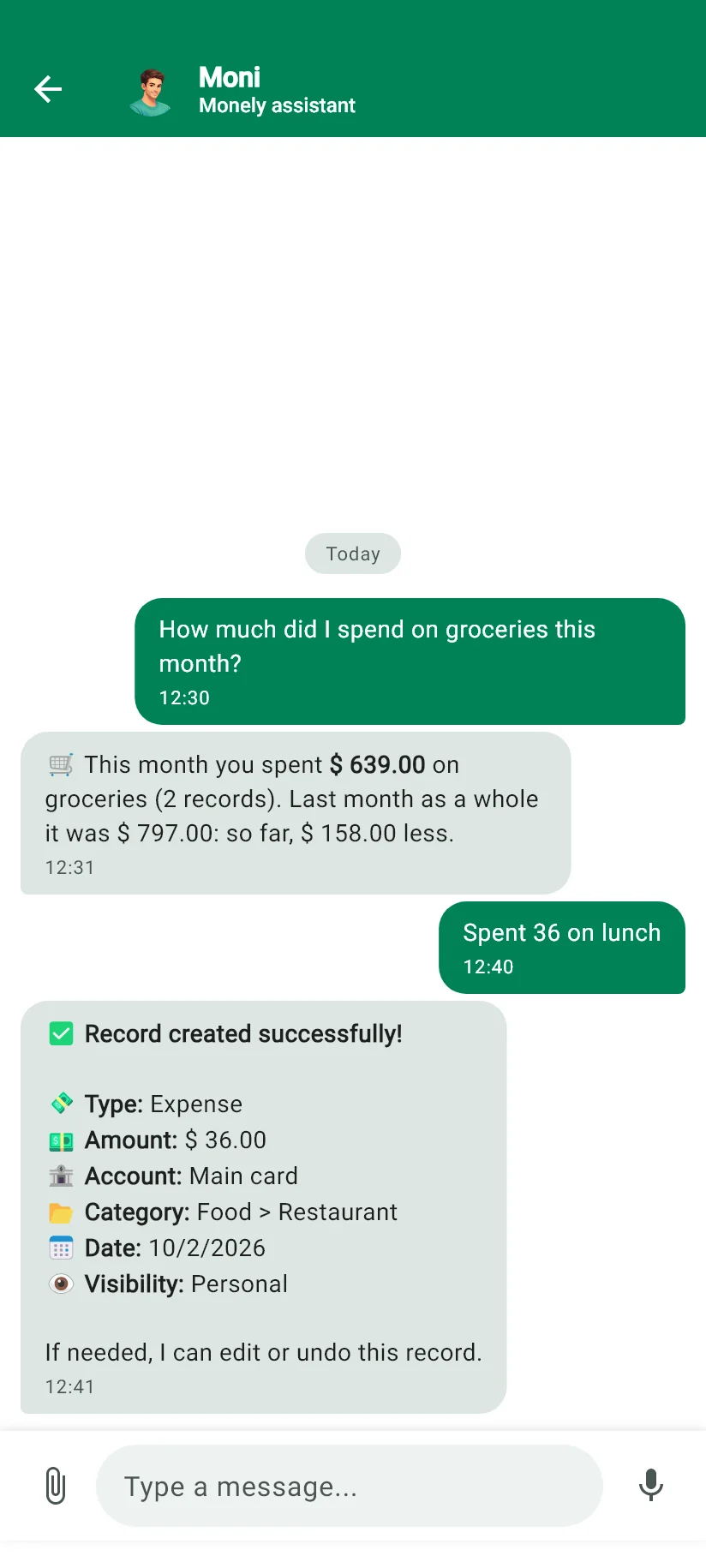
The same assistant as on WhatsApp, in a chat inside the app. Ask how much you spent on groceries this month, log your lunch by typing it the way you would tell someone, or ask a question about Monely.
Understanding
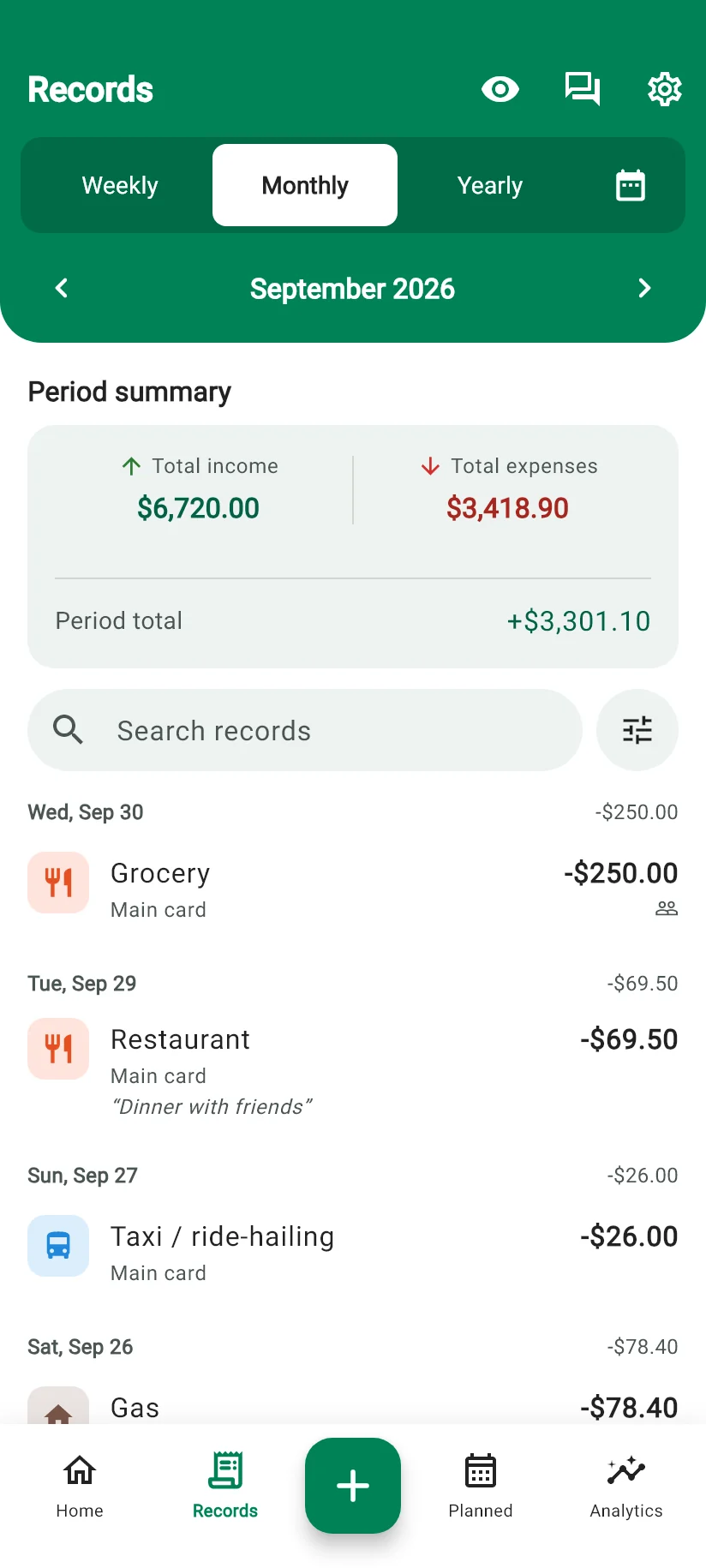
Entries you never look at are bookkeeping. These turn them into a picture of the month.
Distribution chart
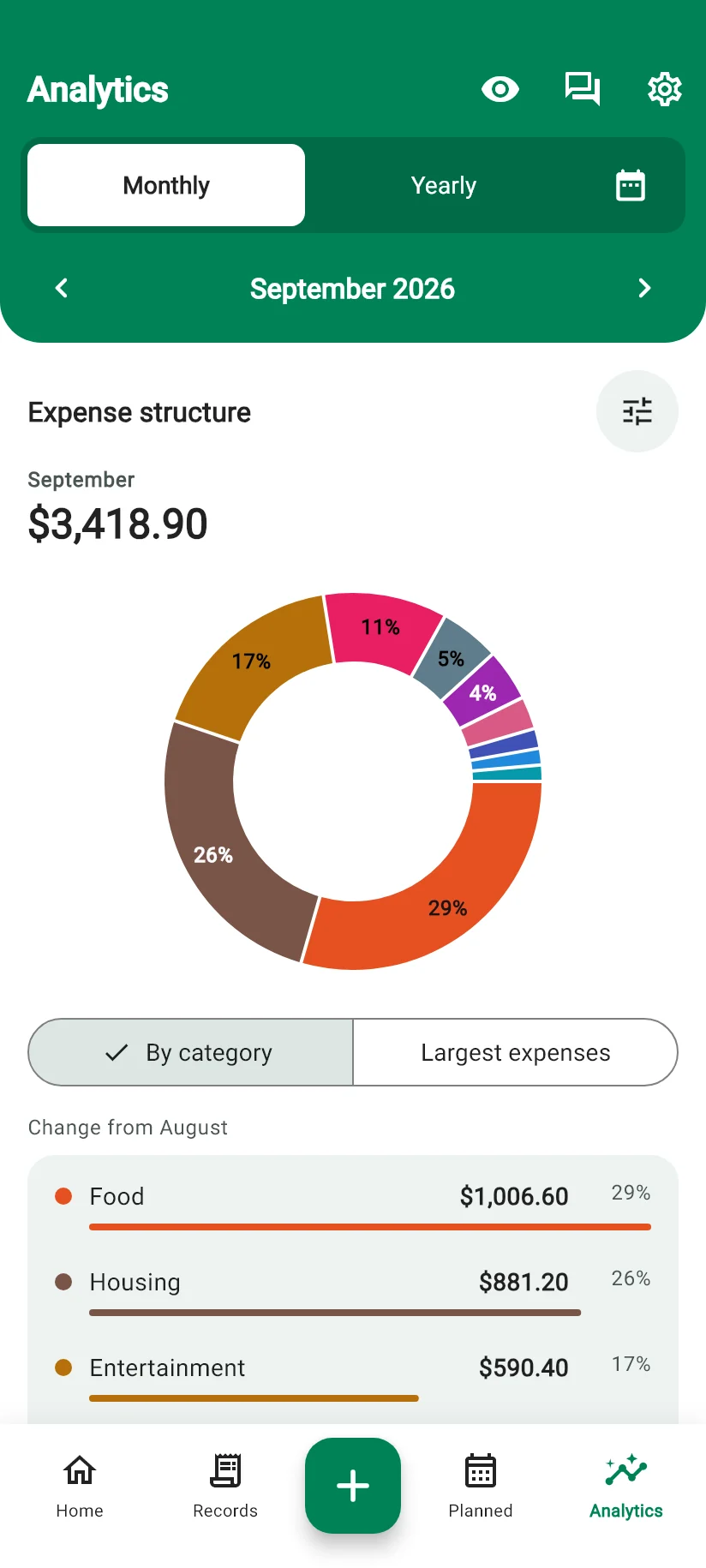
Where the money went in the period, by category and by subcategory, from the largest slice down. It is usually the smallest one that surprises you.
Comparison between periods
This month against the last, and the line of the last twelve. A single month says almost nothing; the direction says a great deal.
Labels
A label cuts across categories: the trip, the renovation, the baby. Filter by it and you see the total of something that never fitted into a single category.
Necessary and Desirable
Every expense is marked as one or the other, and the mark comes from the subcategory. Rent is Necessary, delivery is Desirable, and you decide which is which. At the end of the month you know how much of your spending you chose and how much you merely accepted.
The Analytics tab
Expense structure, largest expenses, money in and out, income goals and net worth in a single tab, by month or by year.
Insight of the day
Every day Monely’s AI reads your records and writes on the Home screen what has changed: the category that went up, the spending that fell compared with the previous month.
Planning
Where the money should go, decided before it goes somewhere else.
Income goals
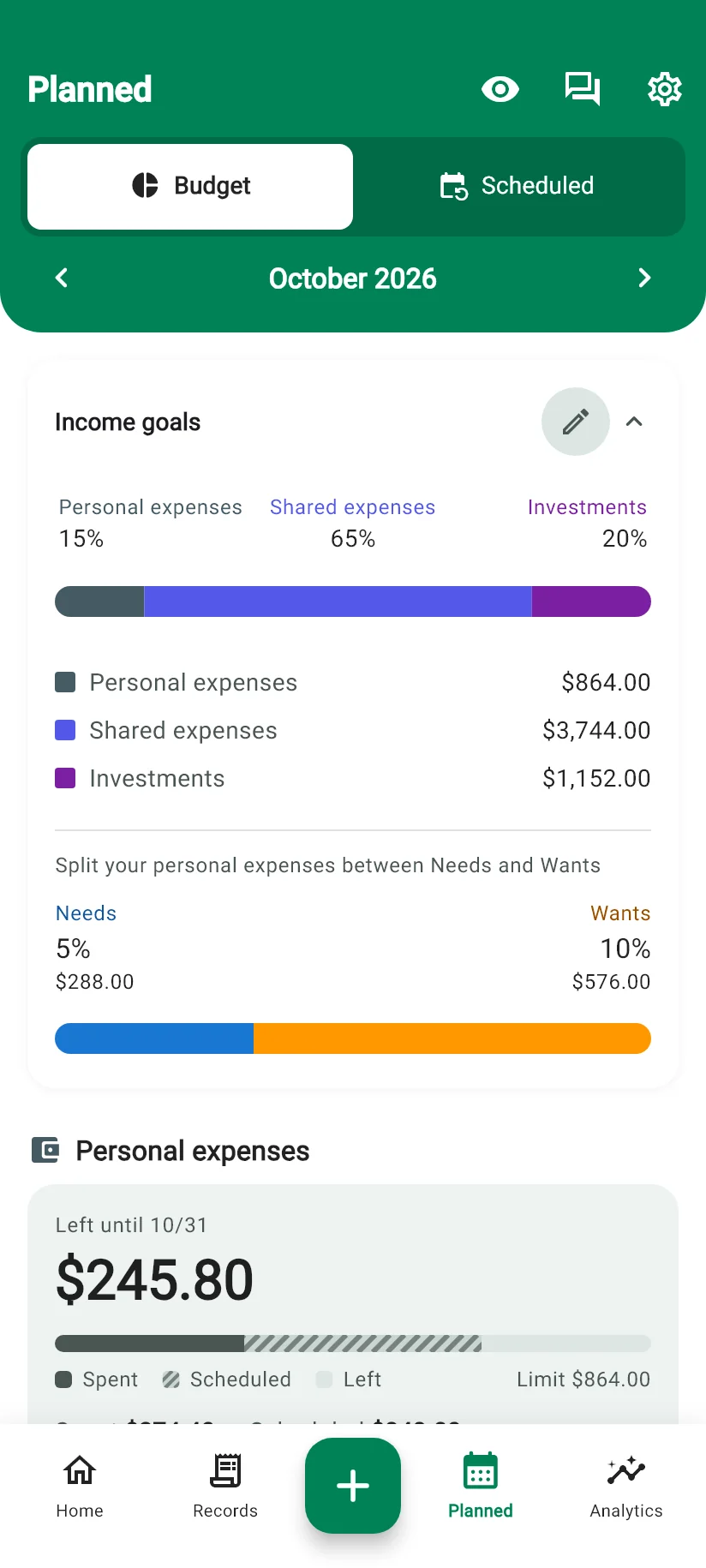
You set the share of the month’s income that goes to investment, to shared expenses and to your own spending. The base is the income, so in a bigger month the target grows with you instead of staying frozen at last year’s number.
Investment goals
A target amount tied to an account, with a progress bar. The reserve, the trip, the deposit on a flat. What you put into that account moves the bar.
Card limit and overdraft
Monely keeps your credit card limit and your bank overdraft, so the available balance shows what is really yours and not the friendly number on the bank’s screen.
Card bill
Current bill and closed bill side by side, the limit that is left and a notice of how many days remain until the due date. When you close the bill, you check it against the bank’s amount; when you pay it, you pick the account.
Loans
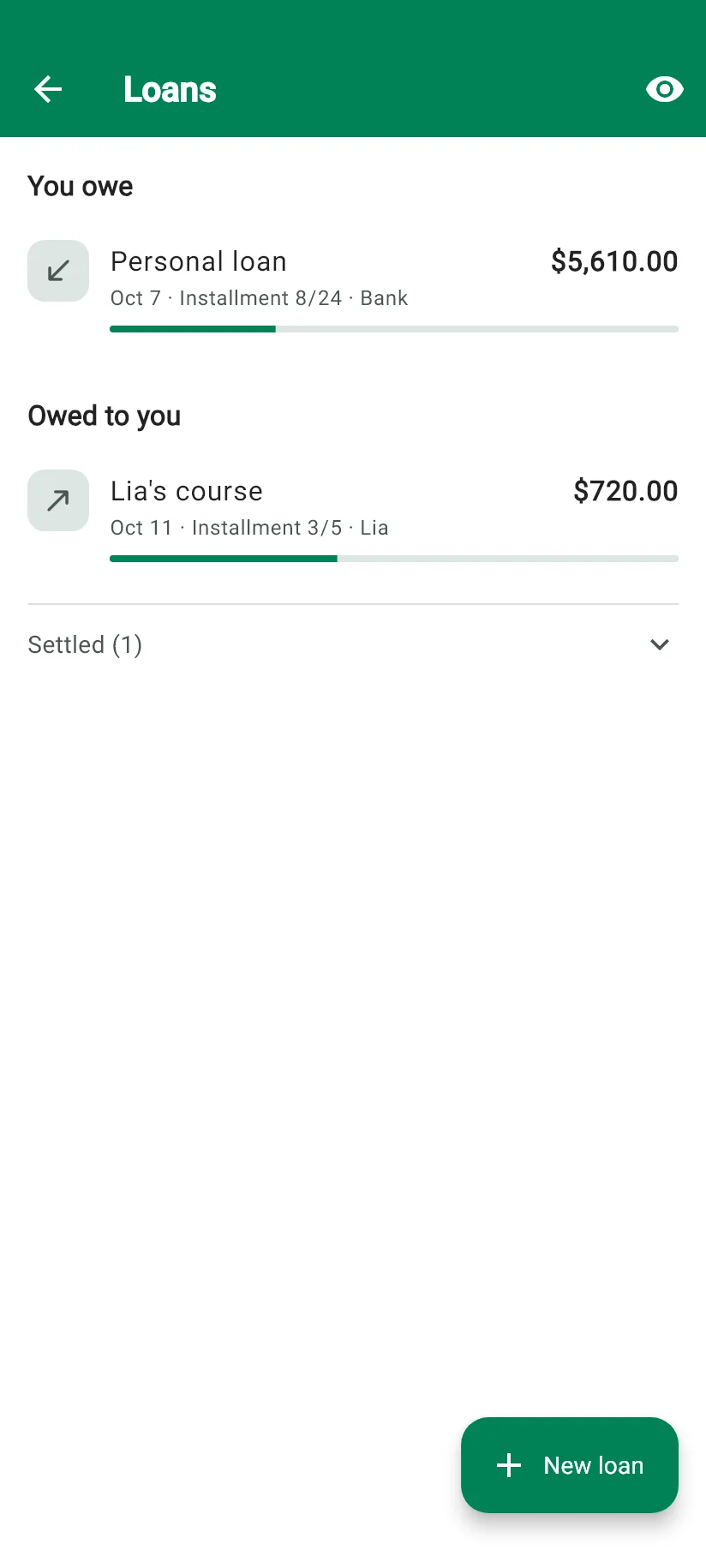
Money you borrowed and money you lent, each with how much is left. A mortgage, a personal loan or what a friend owes you, with interest and installments when they apply.
Sharing
For anyone who splits the bills with somebody: a couple, a family, a flat.
Shared groups
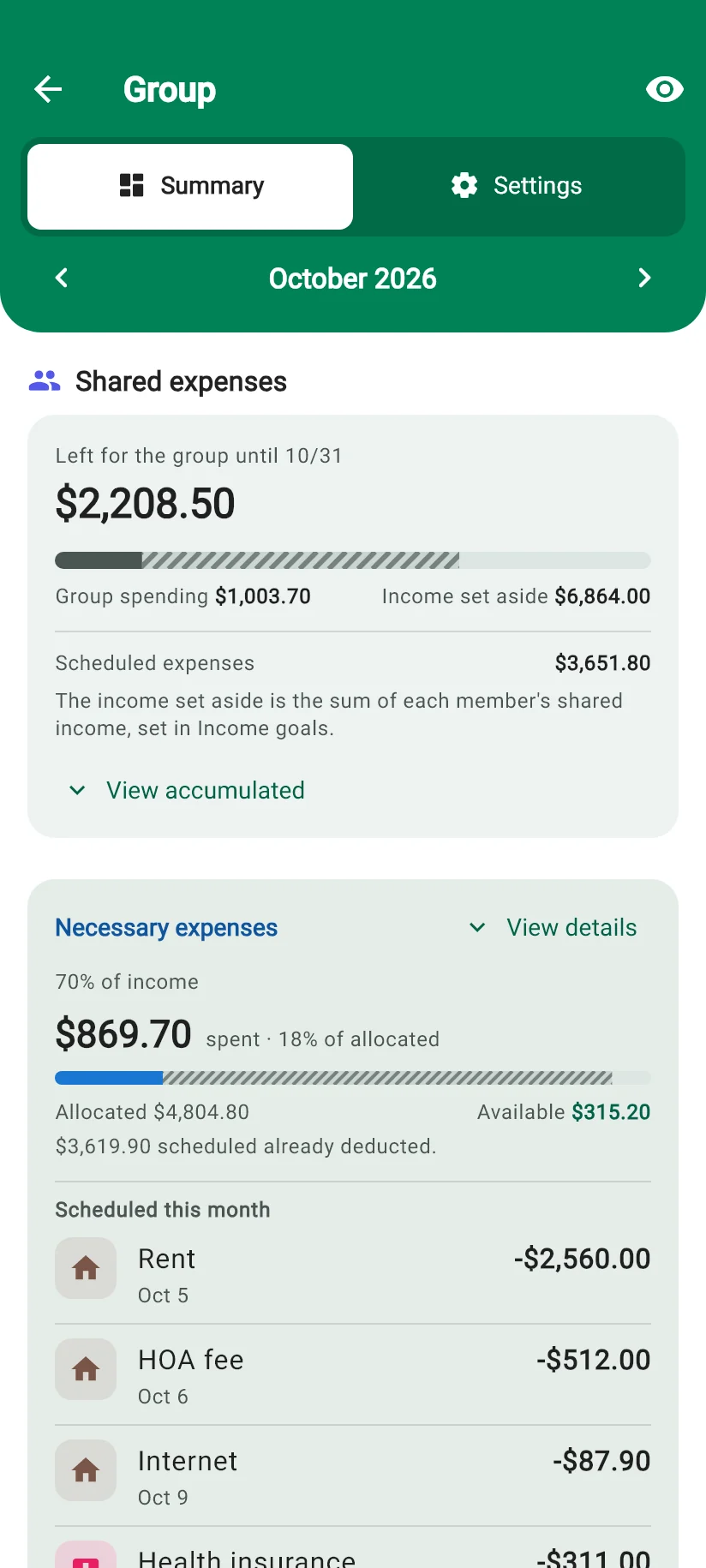
Up to four people on the Family plan. Only what you mark as shared reaches the group. Everything else stays in your own space, visible to you alone.
Splitting in proportion to income
Split it equally, or in proportion to what each one earns. Whoever brings in 70% of the household income covers 70% of the bill. Monely closes the month and says who owes whom, with the entries that produced the number.
Things that do not need a section of their own, and that you would notice at once if they were missing.
155 currencies and Bitcoin
Market rates for about ninety currencies, among them the real, the euro and Bitcoin; the official fixed rate for those pegged to the dollar, the euro, the pound or the rupee; central bank daily references for the rest.
8 languages
Portuguese, English, Spanish, French, German, Turkish, Hindi and Indonesian, in the app and on WhatsApp.
Backup and sync
On every plan, the free one included. Sign in on another device and everything is already there.
Light and dark theme
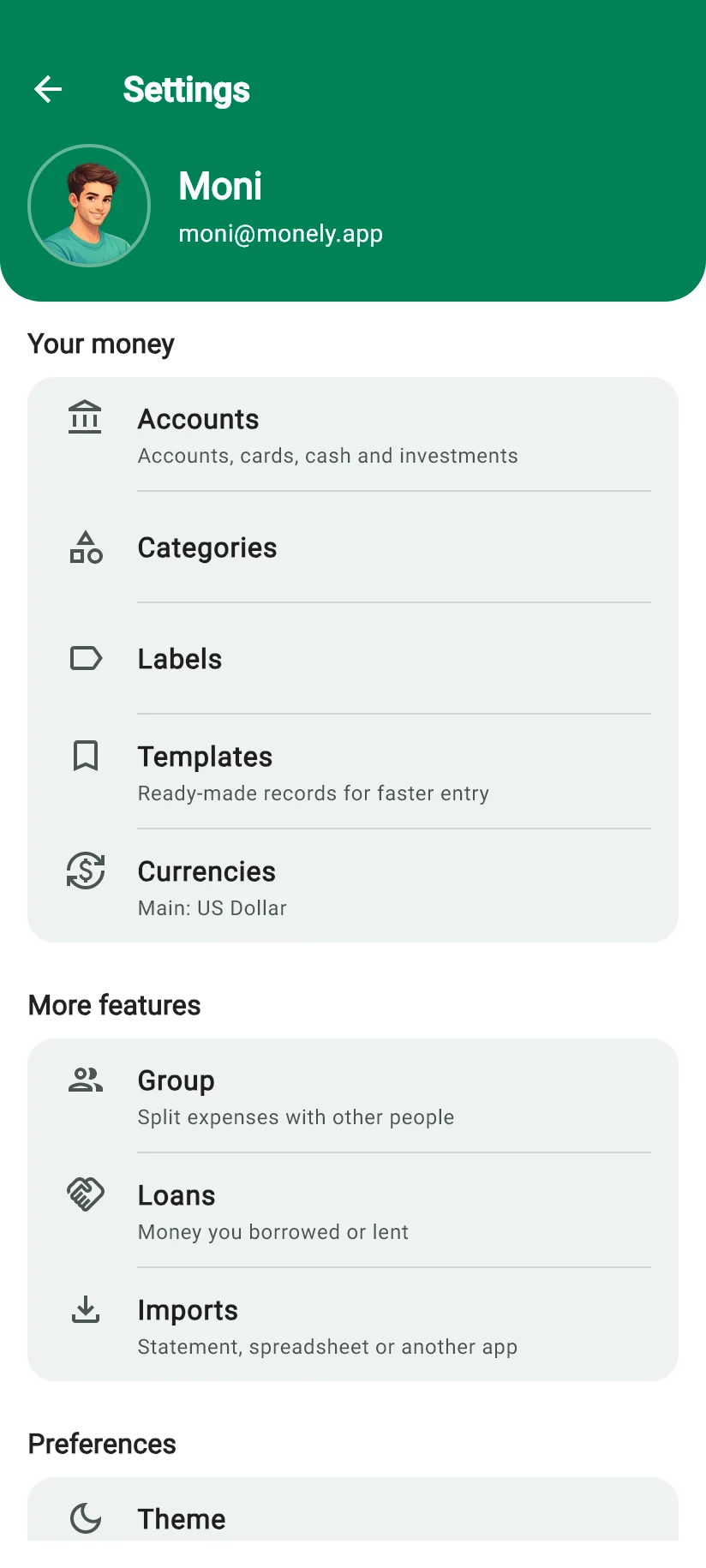
Monely opens in the light theme. In Settings, a switch turns on the Dark Theme, and your choice is remembered.
Accessibility
Screen reader support, contrast that meets the guideline and a palette that survives colour blindness. Accessibility statement
No ads, on any plan
Not on the free plan either. Monely lives on subscriptions, not on your attention.
Android, iPhone and the browser
Native apps on both stores, and Monely in the browser at web.monely.app when you are at the computer.
Two decisions that shape the app
These two come up often enough to deserve the reasoning instead of a shrug.
Recording is by hand, because the method depends on it
Monely does not connect to your bank. That is a decision, and there is an argument behind it.
An app that only pulls from the bank shows you what the bank already shows: the same statement, in a nicer screen. A list assembled by someone else changes nothing, because you took no part in making it. What turns an amount into awareness is the gesture of recording it, the two seconds in which you look at the number and decide where it belongs.
There is also a distinction that dissolves the apparent contradiction with WhatsApp. The awareness comes from the gesture. The bureaucracy of six taps to log a coffee is a different thing, and the bureaucracy is what makes people give up in the second week. A good tool keeps the gesture and cuts the bureaucracy, which is exactly what recording by message does: you say what you spent, and it is in.
The argument is the founder’s, in Chapter 3 of the book Cinco Minutos por Dia, in the section on why recording by hand is the remedy and not the defect. About the book (in Portuguese)
The target is your income, not a category
Monely has no spending cap per category. A cap is laborious to keep: it asks for a decision at every entry, and when the food cap runs out on the 20th, what stops is not the spending, it is the recording.
The same need is answered from the other end, and the other end holds up better:
Income goals. You set the share of the month’s income that goes to investment, to shared expenses and to personal spending. The base is the income, so the target moves with it.
Necessary and Desirable. Personal spending splits between what you need and what you want, each side with its own target share.
The mark comes from the subcategory, set once. Every entry inherits it, so there is no decision to take at the moment of recording, which is precisely where the category cap dies in practice.
Investment goals. A target amount tied to an account, with a progress bar, for whatever you are building towards.
The question from the book sums the whole thing up: “do I need this, or do I just want it?”
Questions people actually ask
Does Monely connect to my bank?
+
No, and that is a decision rather than a gap. An app that only mirrors the statement shows you what the bank already shows, and looking at a ready-made list changes no behaviour. Recording is what creates awareness. To keep the gesture without the bureaucracy, you can record on WhatsApp with a message, a voice note or a photo of the receipt.
Can I set a spending cap per category?
+
No. A cap per category is laborious to keep and demands a decision at every entry. Monely works from the income instead: you set what share of the month goes to investment, to shared expenses and to personal spending, and personal spending splits between Necessary and Desirable. The mark comes from the subcategory, set once, so every entry inherits it.
How do I record an expense on WhatsApp?
+
Send a message to Monely’s number, such as “spent 45 at the market”. It also understands voice notes and photos of receipts. Google Gemini reads what you sent and the entry appears in the app, in the account and category it belongs to.
Which devices does it work on?
+
Android and iPhone, with native apps on both stores, and on the computer through the browser at web.monely.app. The account is the same everywhere, so an entry made on the phone is already there when you open the browser.
Can I bring my data from another app?
+
Yes. Wallet (BudgetBakers), Minhas Finanças, Money Manager (Realbyte), Bluecoins and Splital have direct importers. Anything else comes in as a bank statement in OFX or QFX, or as a spreadsheet in CSV, TSV, XLS or XLSX.
How many currencies and languages are there?
+
155 currencies plus Bitcoin, and eight languages: Portuguese, English, Spanish, French, German, Turkish, Hindi and Indonesian. About ninety currencies, among them the real, the euro and Bitcoin, have market rates; those pegged to the dollar, the euro, the pound or the rupee use the official fixed rate, and the rest use central bank daily references.
Is there a free plan, and are there ads?
+
There is a free plan, and there are no ads on any plan, the free one included. The volume of entries is unlimited on every plan; what changes between them is the features. The plans page has the comparison.
Can the other members of my group see my personal expenses?
+
No. Only what you mark as shared goes into the group. Whatever stays in your personal space is visible to you alone, even when you are all in the same group.
Record and see it today
Download Monely and record what you spent today. The entry reaches the balance and the chart the same day, not at the end of the month, so you can still steer.